Everything it does, sorted by the job
Each feature here works today in the Chartford web portal unless it says otherwise. Some belong to the higher plan; the plans page shows which.
Tour the sample company
Four screens from Sample Precision Works, drawn so they read at any size. No sign-up, no form.
Sample data Made-up company and customers.
Money owed to you
See every customer who owes you, how old each bill is, and what to do next.
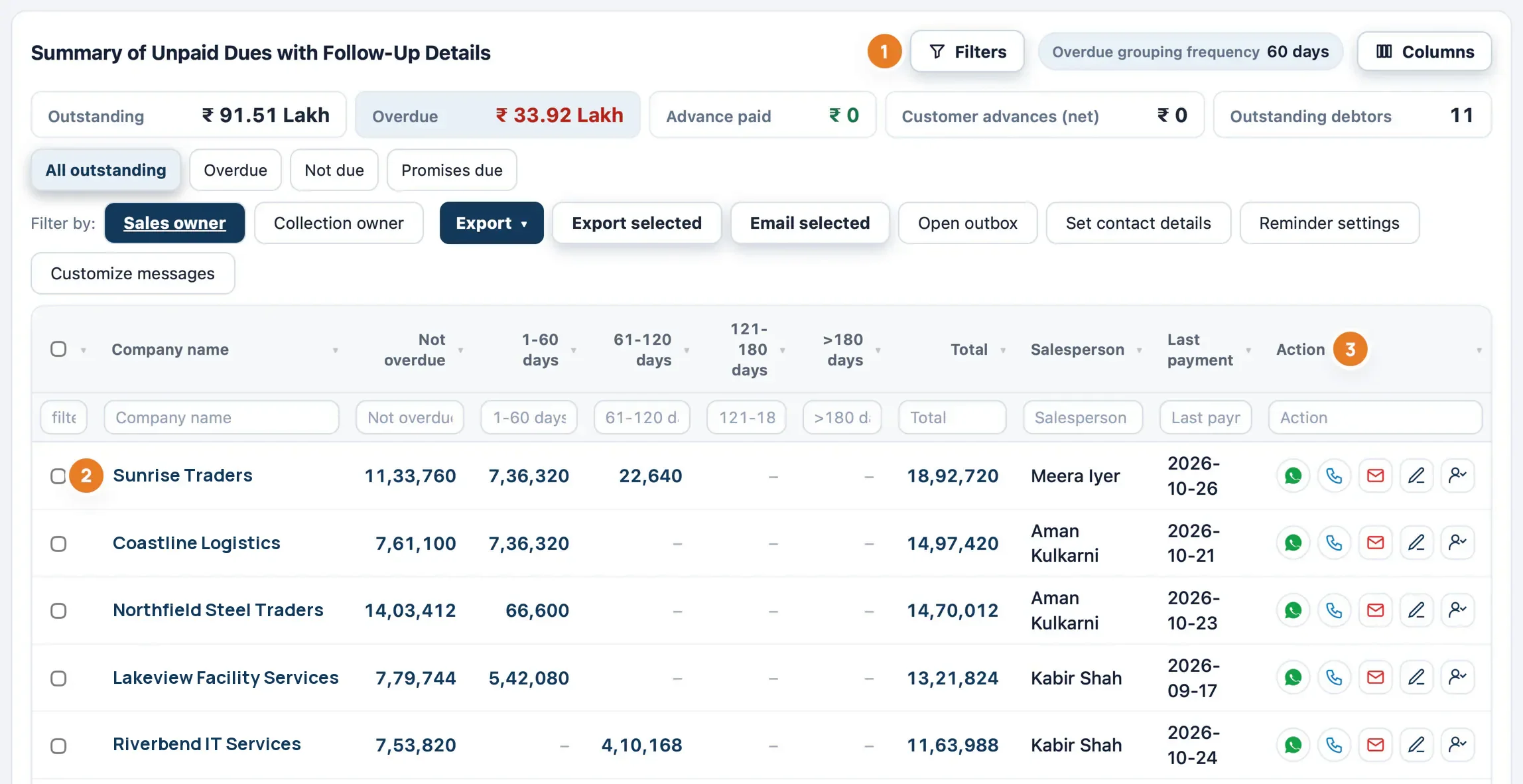
Receivables worklist
One table of every customer with a balance, in ageing bands you can change. Filter by All, Overdue, Not due or Promises due, with the salesperson and last payment on each row.
Matched to the Tally ledger
Open bills are matched to each customer's Tally ledger balance. Receipts not set against a bill reduce the oldest bills first, and ledger dues with no bill show as "Not in bill-wise". Prefer Tally's own bill-wise view? We can switch your company to it.
Customer account
Click a customer to see the follow-up card, promises, tasks, invoices, receipts, the full ledger and a timeline in one place.
Paid, Part-paid and Unpaid
Exact settlement status on sales, purchase and ledger views, from Tally's bill allocations.
Sales owner and follow-up owner
Filter by who sold and who collects. Hand follow-up work to someone else after a preview, without changing who gets the sales credit.
Excel for team review
A workbook grouped by division, salesperson, customer and invoice, with columns for your team to fill in dates, amounts and remarks.
Collections and reminders
Follow up from the row you are looking at, and let email reminders handle the routine.
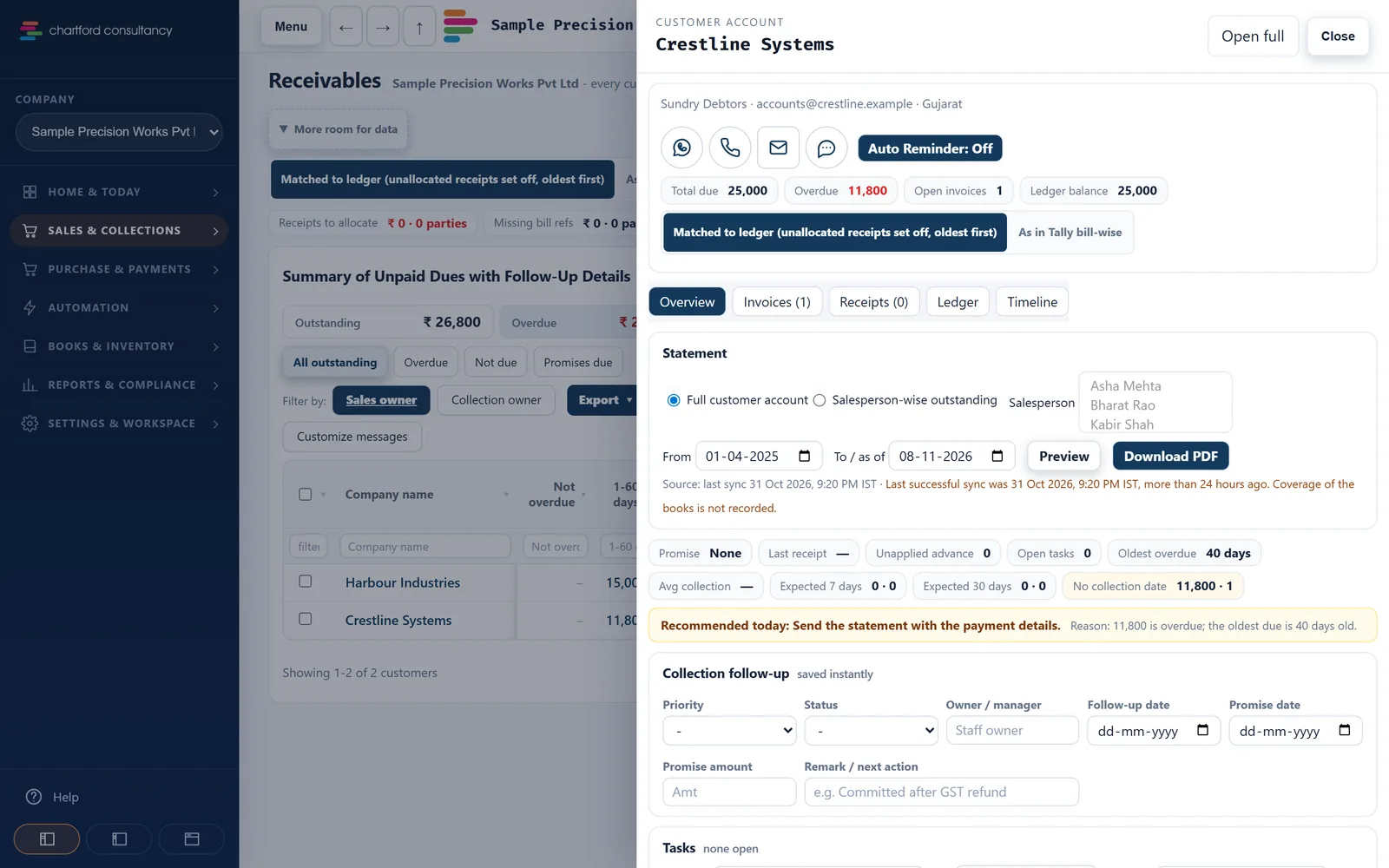
Call, WhatsApp or email from the row
The WhatsApp button opens your own WhatsApp with a ready message, which you send yourself. Call and email buttons sit beside it.
Collection plans
Spread a customer's open invoices over dates and instalments, each with a confidence of 90, 70 or 40%. Plans above ₹50 lakh wait for owner or admin approval, by default.
Automatic email reminders
Approve the wording, mark which contacts agreed, then pick the days, a minimum balance and a daily cap. Sent daily at 10:00 IST, largest balances first. They stop on a reply, an opt-out or payment in Tally.
Up to four contacts per customer
Mark each contact for reminders, invoices or both. Do-not-contact stops everything.
Invoices and statements by email
Send the PDF to the customer's saved email, or share a statement link where they see their ledger and invoices, download the PDFs and confirm. You see when it was opened.
Outbox
Every message sent, with its status.
UPI QR on invoices
A UPI QR or payment link on invoices and statements, after a check of your UPI ID.
Money you owe
Know what you owe, to whom, and plan what to pay this week.
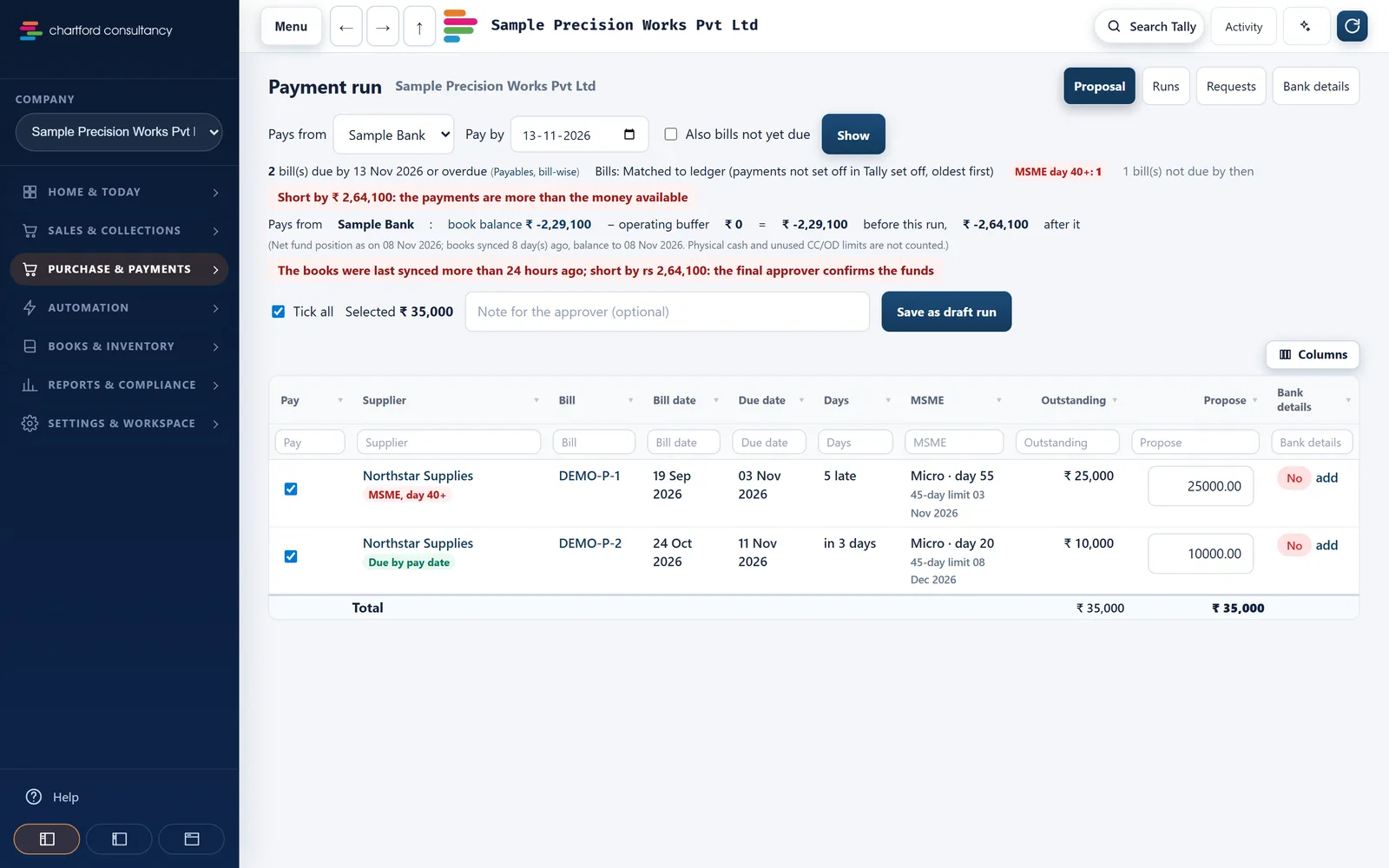
Suppliers by age
Creditor ageing, plus advances you paid where the bill or the material is still pending.
Supplier payment plans
Plan instalments against open bills. They show as money out in the weekly cash plan.
Payment run On request
A weekly supplier payment list with approval levels (₹10 lakh and ₹50 lakh, and nobody approves their own) and a bulk-payment file for your bank. Chartford never moves money.
Supplier statements and confirmations On request
Match supplier statements, and prepare balance-confirmation and MSME status letters.
Cash and bank
Money in against money out, week by week.
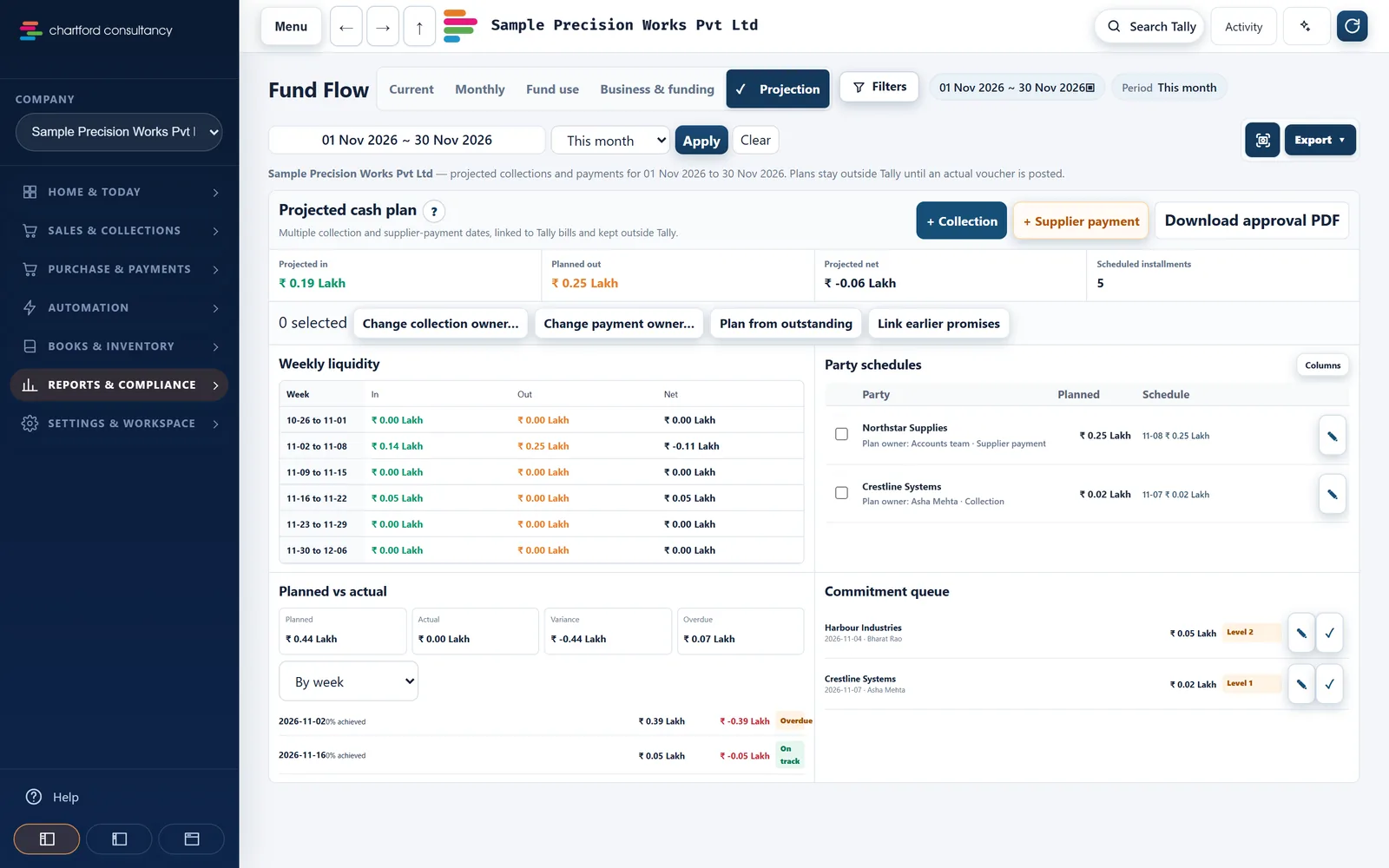
Fund Flow
This month, month by month, and Business and funding, which keeps customer and supplier cash apart from loans. Export to PDF or Excel.
Weekly cash plan
Projected money in, planned money out and the net for each week, with an approval PDF.
Planned against actual
Collection plans compared with the receipts in Tally, by week, customer or salesperson.
Daily summary email
A morning email with cash, receivables, payables and alerts. You switch it on in Settings.
Bank Inbox
Upload a bank statement and match its lines to your books.
Bank reconciliation On request
A reconciliation statement with unpresented cheques.
Sales
What you sold, who sold it, and what is missing this period.
Sales and purchase registers
Any period, filtered by salesperson, division, state or sales type. Open the voucher. Export to Excel, CSV or PDF.
Salespeople and sales types
Names and their other spellings, keyword rules for sales types, and an exact cost-centre rule.
Sales analysis
Top 10 lists, sales type mix, trends and sales by state.
Recurring invoices check
Finds repeat bills that are missing this period.
GST and compliance
Find the exceptions before you file, from the books you already keep.
GSTR-2B reconciliation
Upload the 2B file and match it to purchases, with pairing across months, Table 4 and an IMS report.
GSTR-1, 3B and your books
GSTR-1 checks, GSTR-1 against 3B against the books, and a GSTR-9 working paper.
Tax audit checks On request
40A(3) cash payments, 269ST, TDS defaults, MSME 43B(h), blocked GST credit and duplicate bills.
TDS 26AS On request
Upload 26AS and match it to TDS receivable.
Compliance calendar On request
GST, TDS, advance tax and PF/ESI due dates.
Books and reports
The reports your accountant knows, a click from the dashboard.
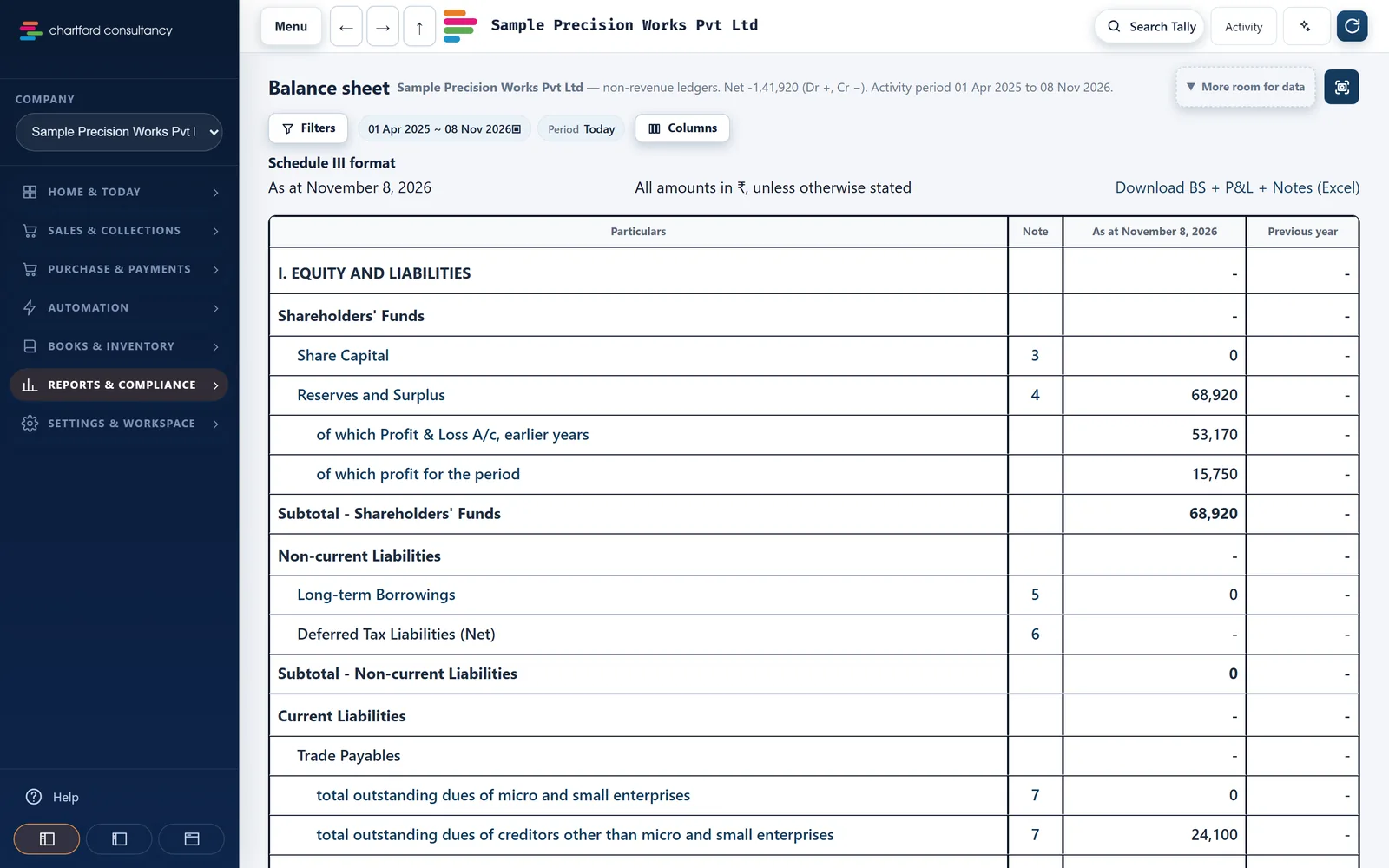
Trial Balance, P&L, Balance Sheet
Schedule III. Pick a period and drill into ledgers. Download the Balance Sheet, P&L and notes as one Excel workbook, one sheet per note.
Day Book and drill-down
From the dashboard to a report, a group or party, and the original voucher, with an exact Back.
Stock
Stock summary by item and godown, stock ageing and item movements, with low-stock alerts.
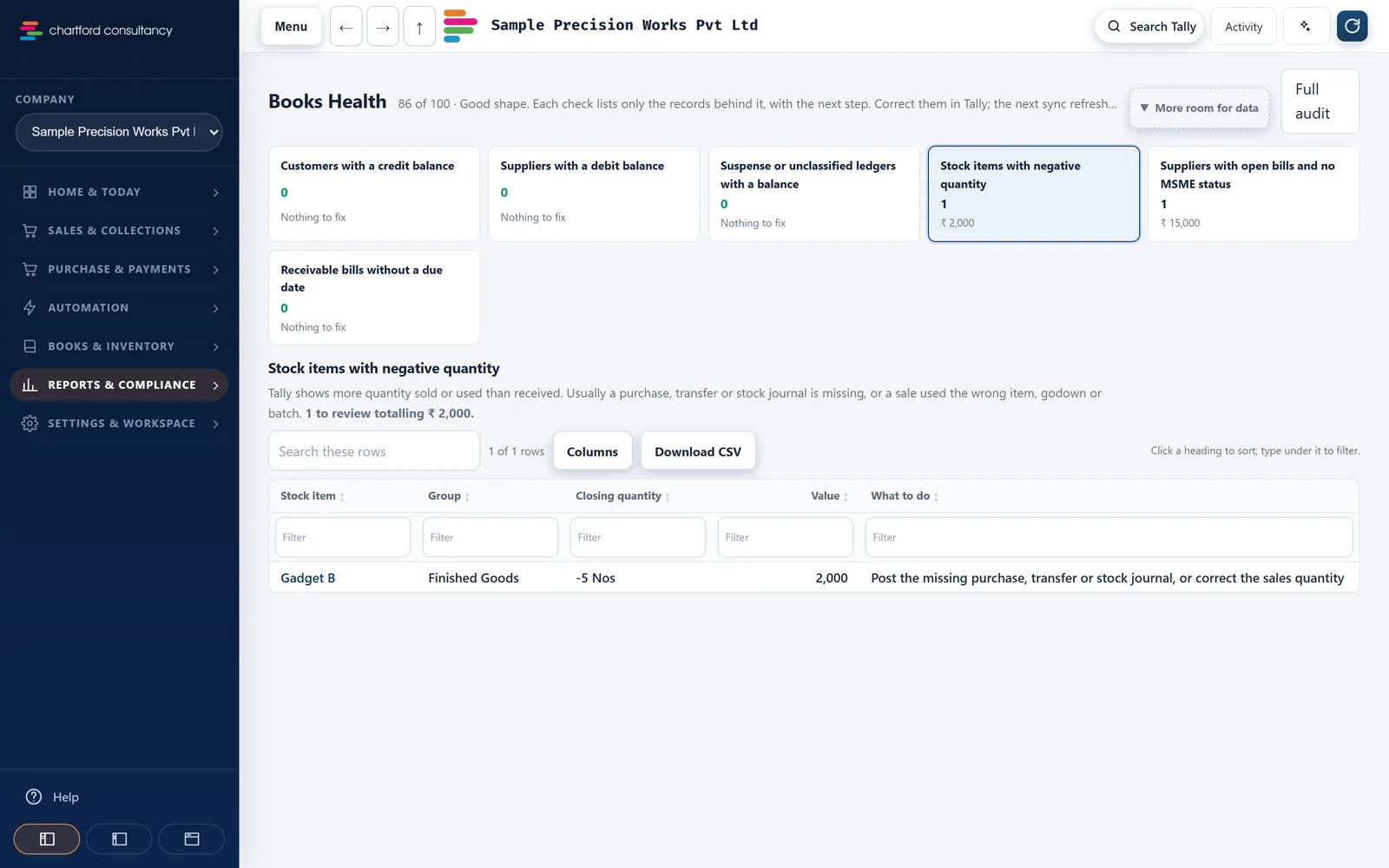
Books Health
Checks such as suspense balances and negative stock.
Changes in the books
Vouchers added, altered, deleted or back-dated at each sync. You switch it on.
Invoice PDFs
A Tally-like layout with your logo, signature, stamp, bank details and the GST rate and HSN breakup.
Columns and search
Show, hide, reorder and resize report columns, saved for your login. Go to page (Ctrl K) finds pages, customers, suppliers, invoices and items.
Team and access
Each person sees what their job needs, on the screen they have.
Five roles
Owner, Admin, Accounts, Sales (own customers only) and Viewer (reads reports, changes nothing). Menus hide what a role cannot open.
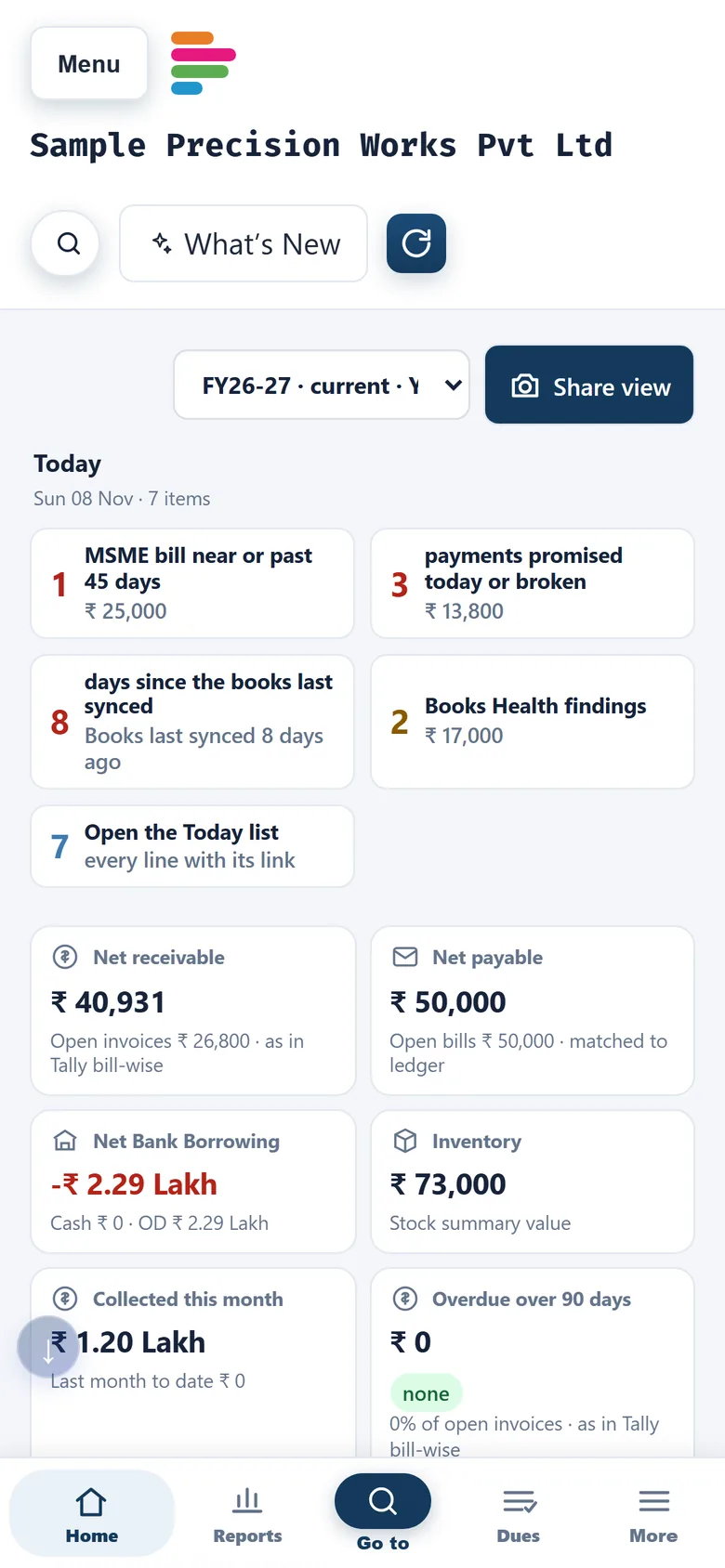
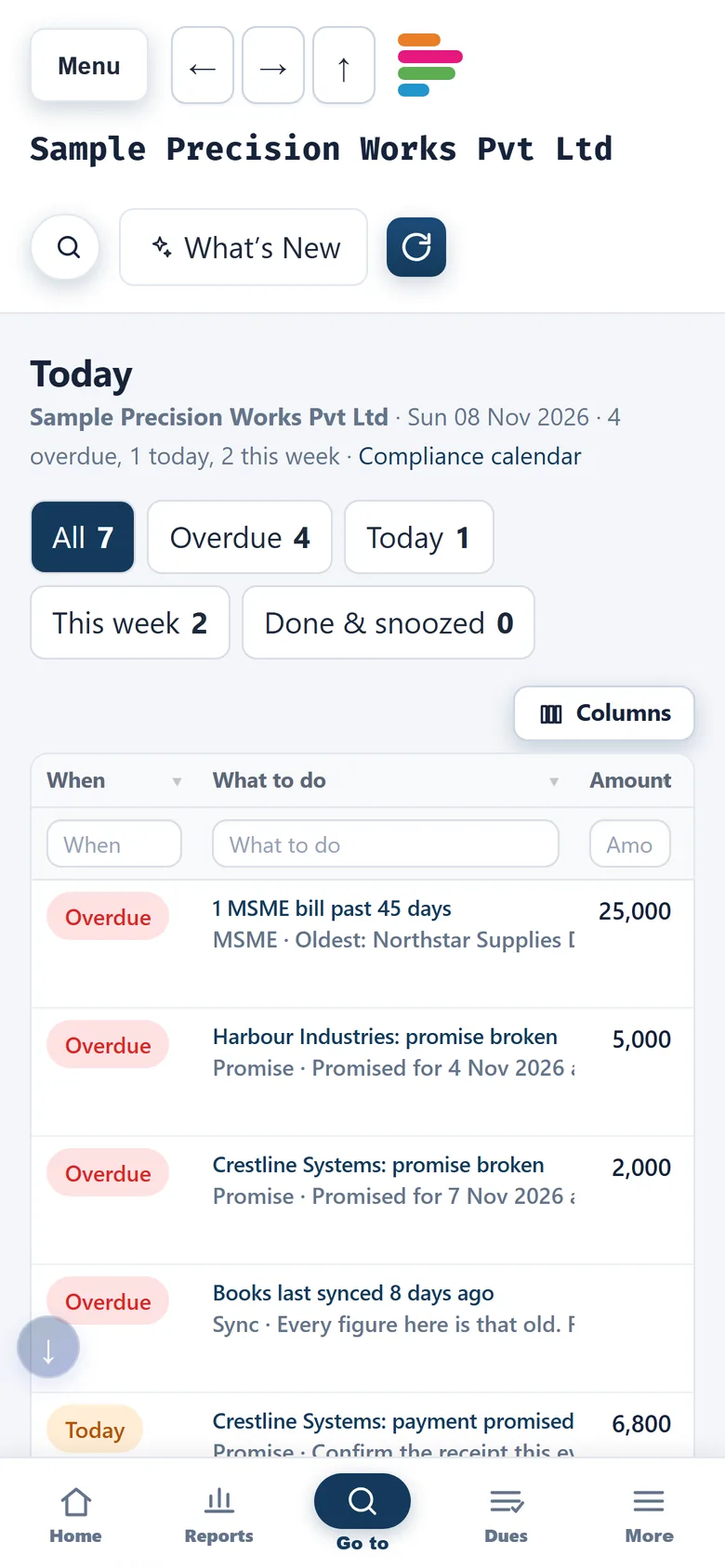
Any browser, including a phone's
Compact tables and a bottom bar in phone browsers. Pages open from the copy on our server, even when the office PC is off.
One device of each kind
One browser, one Android phone and one iPhone per login, and a sessions page to sign out other devices.
Audit log
Who signed in, exported, sent or synced, and when.
Your data, your call
The owner can export all workspace data, or delete the workspace. Team members can delete their own login.
Android and iPhone apps Coming soon
The apps are in private testing and not in the app stores yet. The web portal works in any phone browser today.
Want to see one of these on your own books?
Book a demo and tell us which job matters most. We'll start there.