For accountants and CAs
Open a client's TallyPrime books in a browser, as of their last sync: Schedule III statements with notes in Excel, Books Health, and the GST and tax-audit checks you run before filing. Your client keeps entering vouchers in Tally as usual.
How you get into a client's books
Each client's books are their own workspace. The client stays in charge of it, and decides what you can open.
Your client connects Tally
They install Chartford Sync on the PC that runs TallyPrime and choose which companies and which period to load.
They add you, with a role
Accounts opens reports, receivables, payables and the financial statements. Viewer reads reports and changes nothing. GSTR-2B matching needs Admin.
You sign in from anywhere
Reports open from the copy on our server, even when the client's office PC is off, showing the books as of their last sync.
Look after many clients? Each client adds you to their own workspace. Ask us in a demo how this works for a firm with many clients.
What you can do in a client's workspace
From the same Tally ledgers, groups and vouchers you already know.
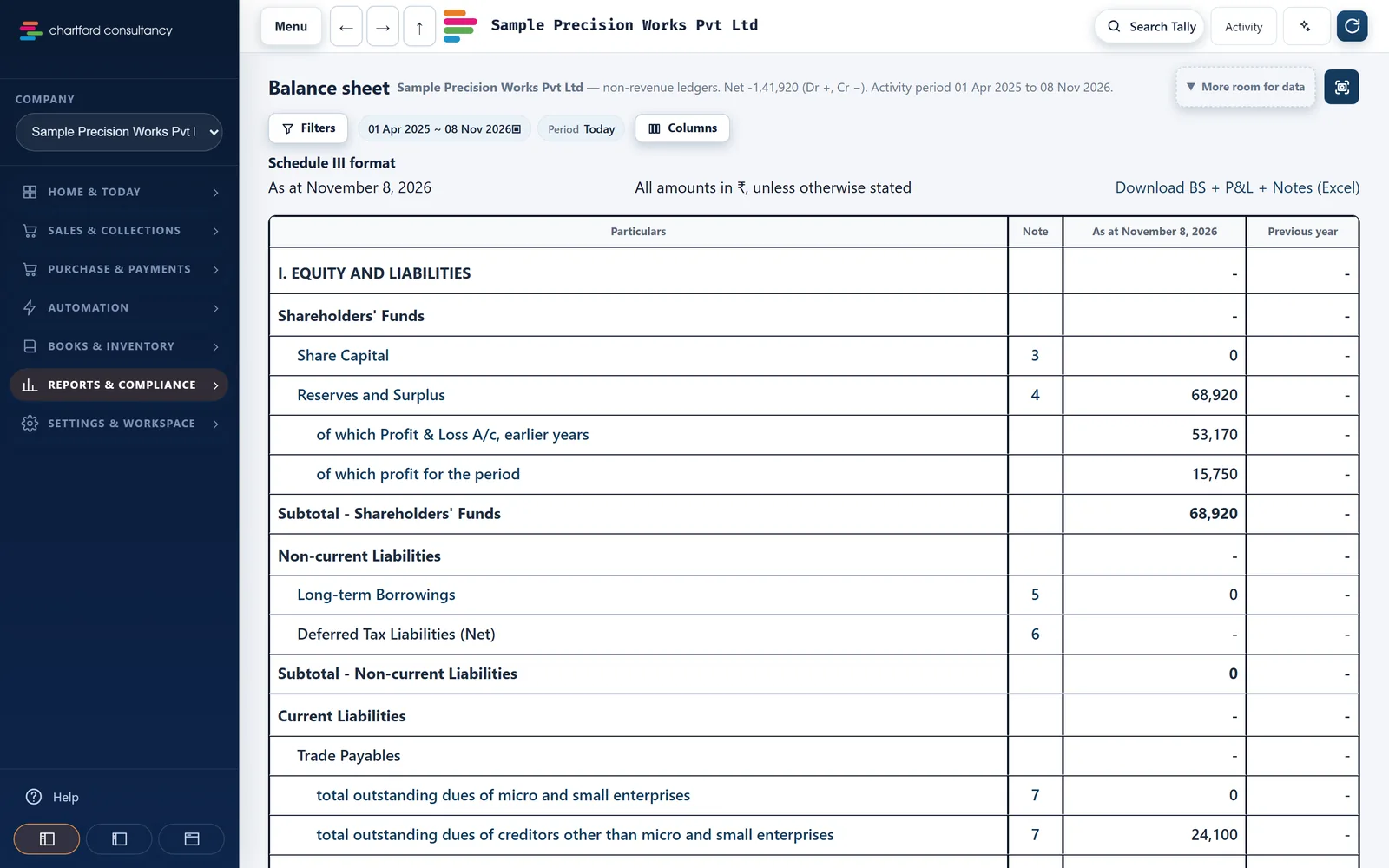
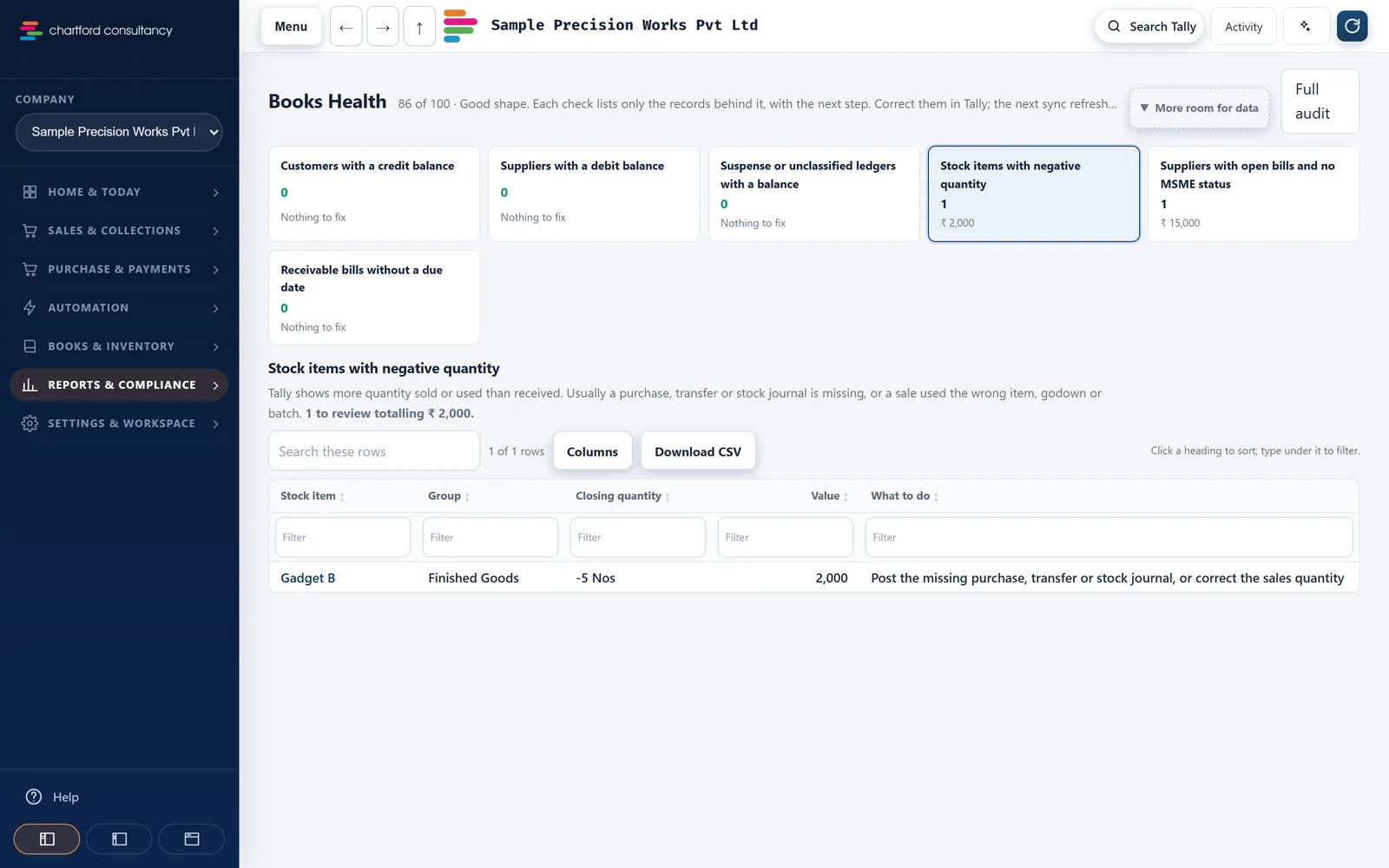
Statements
- Trial Balance, Profit & Loss and Balance Sheet in Schedule III, for any period, with drill-down to the ledger and the voucher.
- Download BS + P&L + Notes (Excel): one workbook, one sheet per note.
- Day Book, ledgers and groups, and a ledger or statement PDF for any period up to today.
Books Health
- Checks such as customers with a credit balance, suppliers with a debit balance, suspense or unclassified ledgers, negative stock and suppliers without MSME status.
- Each check lists the records behind it, so the fix is made in Tally.
- Changes in the books: vouchers added, altered, deleted or back-dated at each sync. The owner switches it on.
GST
- GSTR-2B matched to purchases, with pairing across months, Table 4 and an IMS report. You upload the 2B file.
- GSTR-1 checks, GSTR-1 against 3B against the books, and a GSTR-9 working paper.
Tax audit On request
- 40A(3) cash payments, 269ST, TDS defaults, MSME 43B(h), blocked GST credit and duplicate bills.
- TDS: upload 26AS and match it to TDS receivable.
- A compliance calendar with GST, TDS, advance tax and PF/ESI due dates.
Receivables and payables
- Outstanding matched to each party's Tally ledger, with ledger dues that have no bill shown as "Not in bill-wise".
- Paid, Part-paid and Unpaid labels from Tally's bill allocations, and MSME day counts on supplier bills.
Trail
- An audit log of who signed in, exported, sent or synced, and when.
- Every page shows the books as of the last sync, so you know which figures you looked at.
What it does not do
So you know where your own work still sits.
- It does not file returns. It lists exceptions so they can be fixed in Tally before filing.
- It does not write into Tally. Writing entries back is switched off for customers.
- It does not replace Tally. Vouchers are still entered in TallyPrime.
See it on a sample company first
We'll show you the statements, Books Health and the GST checks on the sample company, and answer your questions about your clients' setups.