How do I work through receivables and record a promise?

Open Receivables. Every customer with a balance is in one table, in ageing bands (60 days by default, and you can change them). Filter by All, Overdue, Not due or Promises due, and by sales owner or collection owner.

Click a customer's name to open their account: the follow-up card, promises, tasks, invoices, receipts, the full ledger and a timeline. Record a promise date and amount there.

The buttons on each row call, email, or open your own WhatsApp with a ready message, which you send yourself.
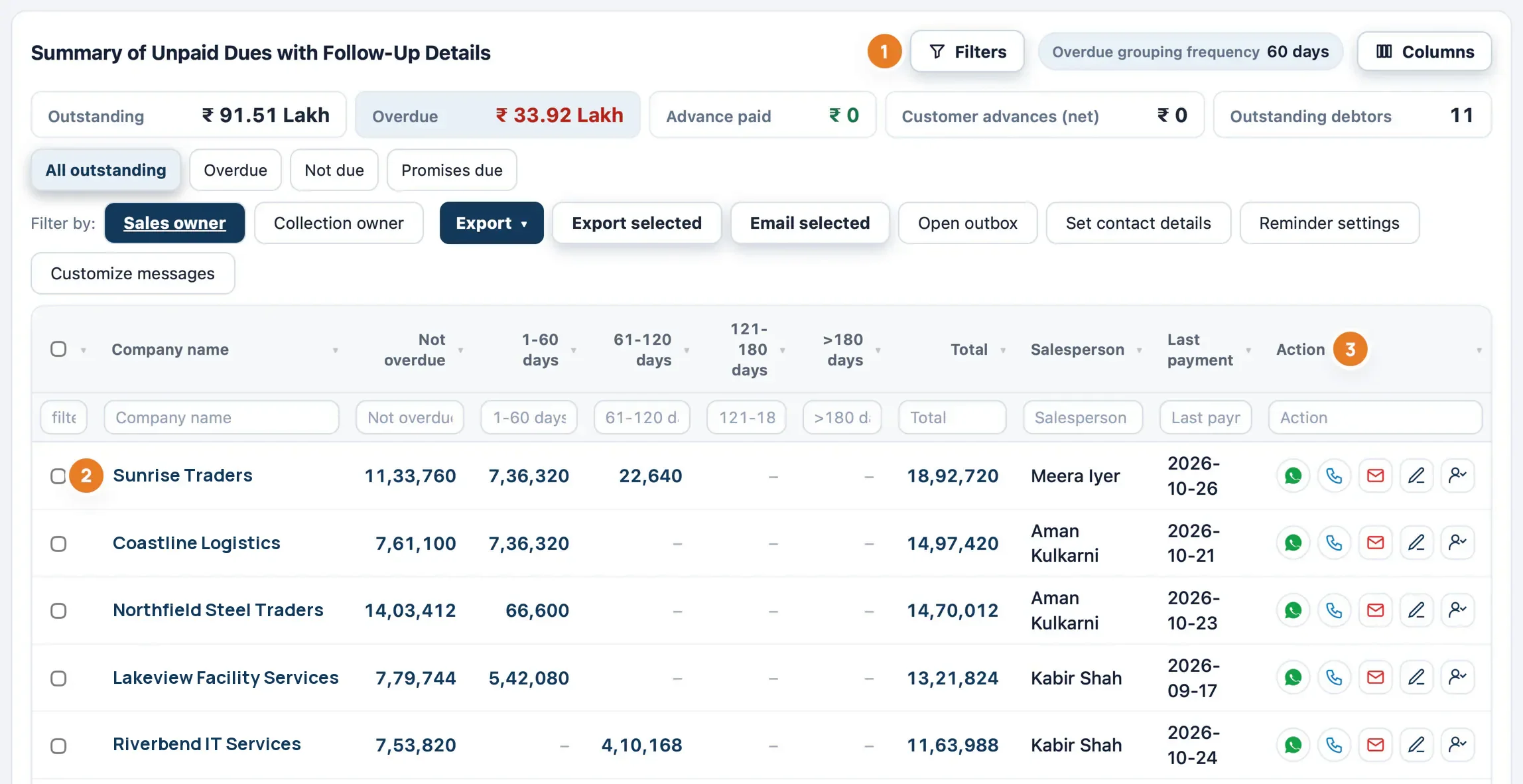
The receivables worklist with outstanding and overdue totals, filters, ageing columns, salesperson, last payment and action buttons on each row
The worklist, from the product's own help guide (numbered marks are part of that guide).Sample data
Work through receivables and follow up1:11 · no sound, captions on screen · sample data

Book a demo

Book a demo

We will show you the sample company and answer questions about your own Tally setup.

I am

We use these details only to reply to you. You will get one automatic email confirming we received your message.